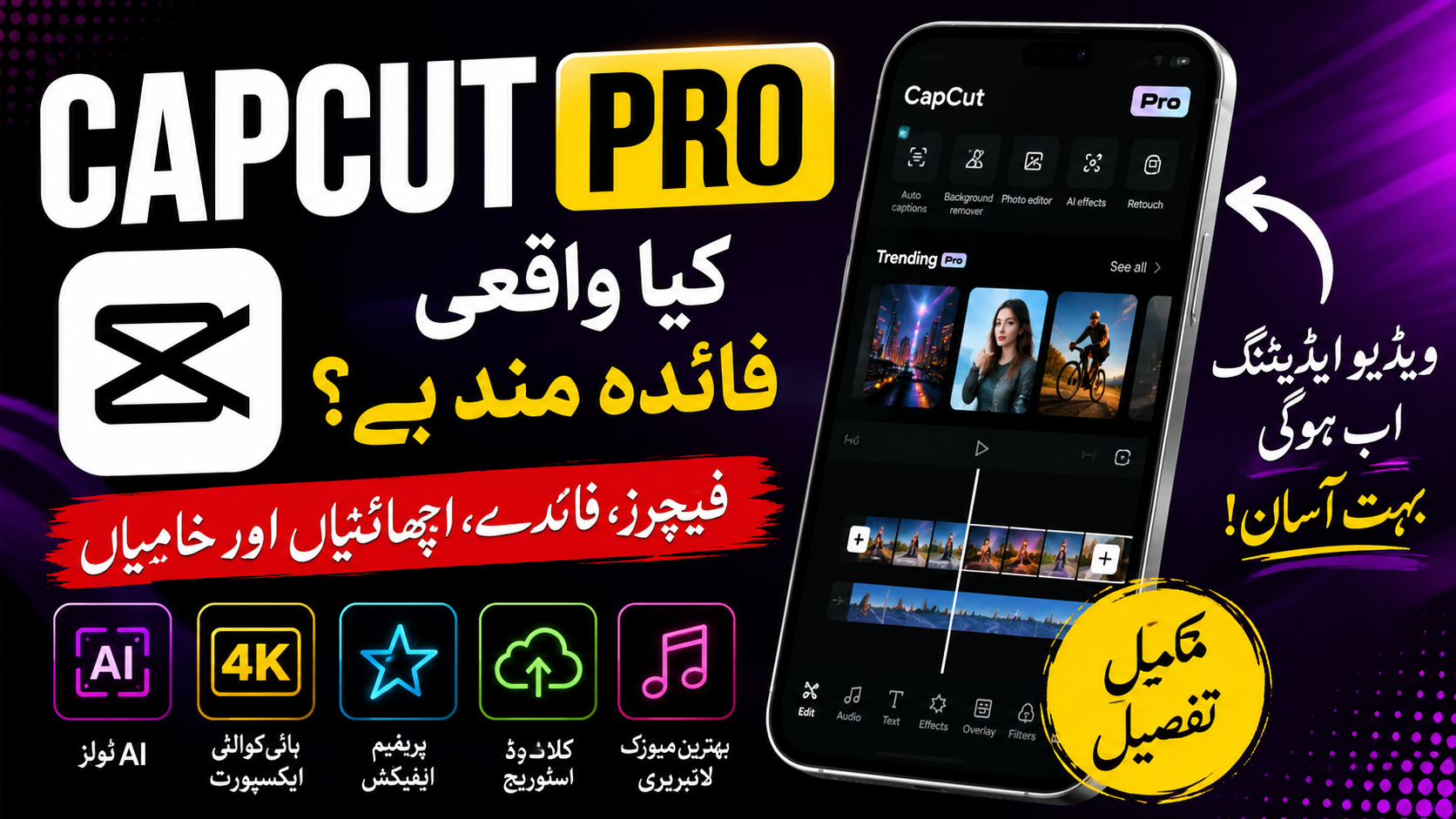
Every day, millions of videos are uploaded to YouTube, TikTok, Instagram, and Facebook. While great ideas matter, the quality of your editing often determines whether people keep watching or scroll away. That’s one reason CapCut has become one of the most popular video editors in the world.
The free version already offers a solid collection of editing tools, but many creators eventually wonder if upgrading to CapCut Pro is worth the cost. Does it really improve your editing experience, or is the free version enough?
After spending time exploring both versions and comparing their capabilities, it’s clear that CapCut Pro isn’t simply about adding more effects. It’s designed to speed up your workflow, unlock advanced creative tools, and make producing professional-looking videos much easier.
In this guide, we’ll take a close look at CapCut Pro, explore its standout features, discuss its biggest advantages and disadvantages, and help you decide whether it’s the right choice for your editing needs.
What is CapCut Pro?
CapCut Pro is the premium subscription offered by CapCut, a video editing platform developed by ByteDance. It builds on the free version by giving users access to exclusive editing tools, premium effects, AI-powered features, cloud storage options, and a growing library of creative assets.
Unlike traditional video editing software that can take weeks to learn, CapCut focuses on simplicity. The interface is clean, beginner-friendly, and powerful enough for creators who publish videos regularly.
Whether you’re editing from your phone or desktop, your projects stay connected when you sign in with the same account, making it easy to switch between devices.
Why Has CapCut Pro Become So Popular?
A few years ago, professional video editing usually meant buying expensive software and learning complicated timelines. Today, that’s no longer necessary.
CapCut Pro has gained popularity because it allows almost anyone to create polished videos without needing advanced editing skills. Social media creators especially appreciate how quickly they can edit, add captions, apply effects, and publish content.
Another reason for its popularity is the constant addition of new features. Instead of staying the same for years, CapCut continues introducing AI tools, templates, transitions, and creative resources that keep up with current editing trends.
For creators who upload videos several times a week, those improvements can save hours of editing time.
Top Features of CapCut Pro
CapCut Pro includes many premium tools that aren’t available in the free version. Some of them improve video quality, while others simply make editing much faster.
1. AI Auto Captions
Typing captions manually can take a surprising amount of time.
CapCut Pro automatically converts spoken words into subtitles within seconds. The captions can then be edited, resized, translated, or styled to match your video’s look.
For creators making tutorials, vlogs, interviews, or short-form content, this feature alone can save a lot of time.
2. AI Background Removal
Removing a background once required using green screens or complex software.
With CapCut Pro, you can isolate a person or object from the background in just a few clicks. This makes it much easier to create product videos, promotional content, and creative edits without advanced editing skills.
3. Premium Video Effects
The free version includes plenty of visual effects, but the Pro library is significantly larger.
You’ll find effects designed for cinematic videos, travel edits, gaming highlights, sports clips, fashion content, and more. Since new effects are added regularly, creators always have fresh styles to experiment with.
4. Advanced Transitions
A transition may only last a second, but it can dramatically improve the flow of a video.
CapCut Pro unlocks additional transition styles that make scene changes feel smoother and more professional. Whether you’re creating a fast-paced montage or a slow cinematic sequence, the extra options help your edits stand out.
5. High-Quality Export Options
No one wants to spend hours editing only to end up with a blurry final video.
CapCut Pro offers higher-quality export options, allowing your finished projects to retain better detail and clarity when shared online.
Frequently Asked Questions
Is CapCut Pro available for Android and iPhone?
Yes. CapCut Pro is available on Android, iPhone, Windows, and Mac.
Can I cancel my subscription?
Yes. You can cancel through the platform where you purchased your subscription. Your Pro access usually remains active until the end of the current billing period.
Does CapCut Pro include AI tools?
Yes. CapCut Pro offers several AI-powered features such as automatic captions, background removal, smart tracking, and more. The exact tools available may vary over time and by region.
Is CapCut Pro good for beginners?
Absolutely. The interface is designed to be beginner-friendly while still offering advanced capabilities for experienced editors.
Can I use CapCut Pro for YouTube?
Yes. Many YouTube creators use CapCut Pro to edit vlogs, tutorials, shorts, gaming videos, reviews, and educational content.
Effects & Sound Effects
Enhance every scene with realistic cinematic effects and immersive sound design. Recommend appropriate ambient sounds, Foley effects, and environmental audio that match the setting, such as footsteps, birds chirping, wind, rain, traffic, doors opening, crowd chatter, rustling leaves, or water flowing. Include subtle cinematic transitions and impact sounds where appropriate. All sound effects should feel natural, synchronized with the on-screen action, and help increase the emotional impact and realism of the short film without overpowering the dialogue or narration.
Final Thoughts
CapCut Pro has become one of the leading video editing solutions because it combines ease of use with powerful creative tools. From AI-powered editing to premium templates and professional effects, it offers features that help creators produce high-quality videos with less effort.
If you edit videos regularly, subscribing through the official app is the safest and most reliable way to unlock everything CapCut Pro offers. You’ll receive ongoing updates, improved performance, and access to the newest premium features while supporting the continued development of the platform.
Whether you’re just starting your content creation journey or looking to improve your editing workflow, CapCut Pro provides a flexible and capable toolkit that can grow with your needs.

One Comment on “CapCut Pro: How to Get It Legally in 2026”