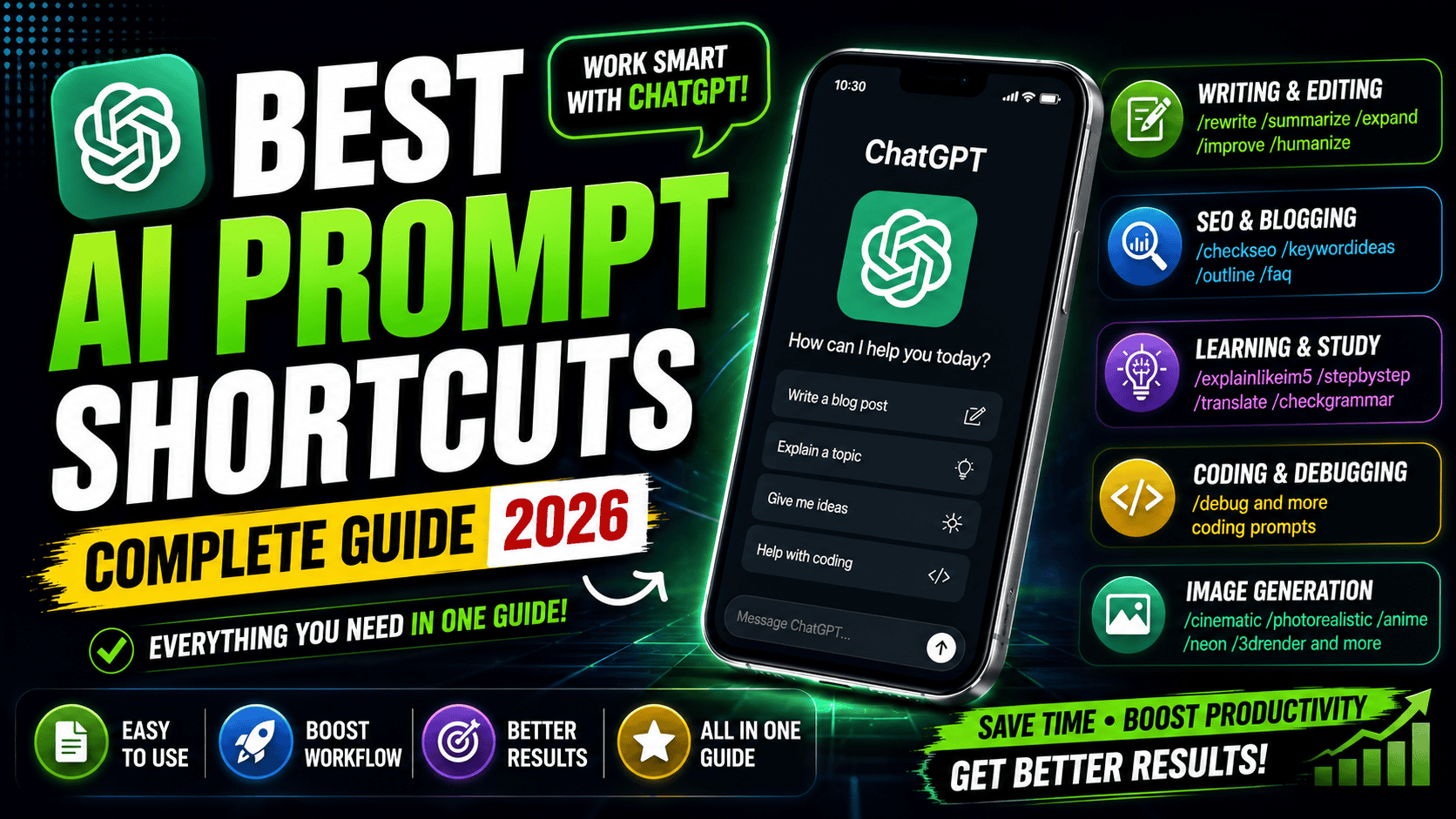
Artificial Intelligence has completely changed the way people write articles, generate ideas, solve coding problems, create images, and even learn new skills. Instead of writing long instructions every time, many users have started using AI prompt shortcuts. These shortcuts help organize requests and make it easier to tell AI exactly what you want.
Although commands like /rewrite, /summarize, or /debug are not official ChatGPT commands, they are excellent prompt templates. By using them consistently, you can save time and receive more focused responses. Think of them as personal prompt labels rather than built-in features.
Whether you’re a blogger, student, developer, designer, or content creator, learning these prompt styles can improve both the speed and quality of your AI conversations.
What Are AI Prompt Shortcuts?
AI prompt shortcuts are simple keywords or labels placed at the beginning of a request to describe the type of response you want. Instead of explaining your instructions from scratch every time, you can use a familiar prompt pattern to communicate your goal quickly.
For example, instead of typing:
“Can you explain this networking concept in a way that a five-year-old could understand?”
You might write:
/explainlikeim5 Explain how the internet works.
The shortcut acts as a reminder of the style you want, while the rest of the prompt contains your actual request.
Although ChatGPT doesn’t recognize these as built-in commands, they are useful personal conventions that make prompting more consistent.
Why Prompt Shortcuts Are Becoming Popular
As AI tools become part of daily work, users often repeat similar tasks. Bloggers regularly rewrite articles, students summarize notes, developers debug code, and marketers brainstorm content ideas.
Instead of rewriting detailed instructions every time, prompt shortcuts provide a faster workflow. They also help maintain consistency across multiple conversations.
Content creators, especially, benefit from keeping a list of their favorite prompt patterns because they frequently switch between outlining articles, generating FAQs, improving grammar, and checking SEO.
Best Writing Prompt Shortcuts
Writing is one of the most common uses of AI. The following prompt styles help improve articles, emails, essays, and social media posts.
/rewrite
Use this prompt when you want AI to rewrite content naturally while keeping the original meaning.
Example:
/rewrite Rewrite this paragraph using simpler English.
/humanize
This prompt is useful for making robotic or repetitive writing sound more natural.
Example:
/humanize Make this article sound like it was written by a human.
/expand
Sometimes a paragraph feels too short. This prompt asks AI to add useful details without changing the topic.
Example:
/expand Expand this paragraph into 300 words.
/summarize
Perfect for long documents, research papers, blogs, or reports.
Example:
/summarize Summarize this article in five key points.
/improve
Use this whenever you want better grammar, clearer wording, and smoother readability.
Example:
/improve Improve this email before I send it.
/tonefriendly
Makes formal or robotic writing sound warmer and more conversational.
/toneprofessional
Useful for resumes, official emails, reports, and business communication.
Prompt Shortcuts for Bloggers and SEO
SEO writers often perform repetitive tasks while publishing articles. These prompts can make the workflow faster.
/checkseo
Ask AI to review your article for keyword usage, readability, headings, and on-page SEO suggestions.
/keywordideas
Generate related keywords around your main topic.
Example:
/keywordideas Auto Redial App
/outline
Create a complete article structure before writing.
Example:
/outline Article about Android VPN apps
/faq
Generate commonly asked questions based on your topic.
FAQs help improve user experience and may also increase visibility in search results.
Learning and Education Prompts
Students often use AI for studying, note-taking, and concept explanation.
/explainlikeim5
One of the most popular prompt styles.
It explains difficult subjects using very simple language.
Example:
/explainlikeim5 Explain blockchain.
/stepbystep
Ideal for tutorials and educational guides.
Example:
/stepbystep How do I install Windows 11?
Instead of providing one short answer, AI breaks the process into logical steps.
Brainstorming and Creative Thinking
Coming up with fresh ideas isn’t always easy.
That’s where brainstorming prompts become useful.
/brainstorm
Generate multiple ideas around a topic.
Example:
/brainstorm YouTube channel ideas about technology.
AI can suggest titles, content plans, series ideas, and publishing strategies.
Translation Prompt
Language barriers are much easier to overcome with AI.
/translate
Example:
/translate Translate this article into Urdu.
You can replace Urdu with almost any supported language.
Grammar Checking
Even experienced writers make mistakes.
/checkgrammar
Example:
/checkgrammar Correct grammar and punctuation without changing the meaning.
This is particularly useful before publishing articles or sending important emails.
Formatting Prompts
Sometimes information becomes easier to understand after changing its format.
/bulletpoints
Converts paragraphs into clear bullet lists.
/table
Turns information into organized tables.
Example:
/table Compare Android and iPhone.
This works well for product comparisons, feature lists, and educational content.
Coding Prompt Shortcuts
Developers regularly use AI to improve productivity.
/debug
Probably the most useful coding prompt.
Example:
/debug Find the error in this Python code.
Instead of only identifying the mistake, AI often explains why it occurred and how to fix it.
Developers also use prompts such as:
- Explain this code
- Optimize this function
- Convert Python to JavaScript
- Write SQL queries
- Create API examples
Although these aren’t listed as shortcuts, they are commonly used prompt patterns.
Image Generation Prompt Styles
Image generation works differently from text writing. Instead of commands, these words describe the artistic style you want.
For example:
/photorealistic
Creates realistic-looking images.
/cinematic
Adds dramatic movie-like lighting and composition.
/3drender
Produces high-quality 3D artwork.
/anime
Generates illustrations inspired by Japanese animation.
/ghibli
Creates images inspired by the warm, hand-painted style associated with Studio Ghibli.
/minimalist
Focuses on clean layouts with fewer visual elements.
/cyberpunk
Produces futuristic neon city scenes with advanced technology.
/watercolor
Creates paintings that resemble watercolor artwork.
/oilpainting
Generates artwork similar to traditional oil paintings.
/pixelart
Produces retro video game-style graphics.
/neon
Adds glowing colorful lighting.
/goldenhour
Creates warm sunlight effects similar to sunrise or sunset.
/dramaticlighting
Adds stronger shadows and cinematic contrast.
/ultrarealistic
Focuses on extremely detailed realism.
/8k
Requests very high-detail image quality.
/macro
Creates close-up photography effects.
/wideangle
Simulates wide camera lenses for landscapes or architecture.
Tips for Writing Better AI Prompts
Even the best shortcut cannot replace a clear prompt.
Include important details such as:
- Your goal
- Desired tone
- Audience
- Word count
- Output format
- Language
- Style
Instead of writing:
Write an article.
Try:
Write a 2,000-word beginner-friendly article about Android VPN apps using simple English with SEO optimization.
The more context you provide, the better the results usually become.
Common Mistakes When Using Prompt Shortcuts
Many beginners expect these shortcuts to behave like software commands. In reality, they are simply prompt patterns.
Avoid using only the shortcut without explaining what you want.
For example:
❌ /rewrite
Better:
✅ /rewrite Rewrite this paragraph using simpler English while keeping the original meaning.
Specific prompts almost always produce better responses.
Final Thoughts
AI prompt shortcuts are an excellent way to organize your conversations and speed up repetitive tasks. Whether you’re writing articles, generating SEO ideas, fixing code, translating text, or creating images, these prompt patterns help you communicate more efficiently with AI.
While they aren’t official ChatGPT commands, they serve as practical templates that many users adopt for their own workflows. The key to getting high-quality results is not the shortcut itself but the clarity of the instructions that follow.
As AI tools continue to evolve, learning how to write effective prompts will become just as valuable as learning how to use traditional software. Mastering these techniques can save time, improve productivity, and help you get more accurate and useful responses for almost any task.
Frequently Asked Questions
Are these official ChatGPT commands?
No. They are user-created prompt styles that help organize requests. ChatGPT does not have a built-in slash command system for these prompts.
Can I create my own prompt shortcuts?
Yes. Many people create personal labels such as /blogintro, /emailreply, or /youtubeideas to remind themselves of common prompting patterns.
Do prompt shortcuts improve AI responses?
The shortcut itself doesn’t change how the AI works, but it helps you write clearer, more consistent prompts, which often leads to better results.
Which shortcut is best for bloggers?
Prompts like /outline, /rewrite, /humanize, /checkseo, /keywordideas, and /faq are especially useful for content creation.




Make the poster and graphic design
Latif Shikare
Bht ala