Have you ever wanted to make it look like someone is calling you when your phone is actually sitting completely silent?
Maybe you want to play a harmless prank on a friend. Maybe you’re making a funny TikTok or Reel and need a realistic incoming-call scene. Or perhaps you’re stuck in an awkward conversation and want a simple way to create an excuse to leave.
This is where prank call apps and fake incoming call simulators come in.
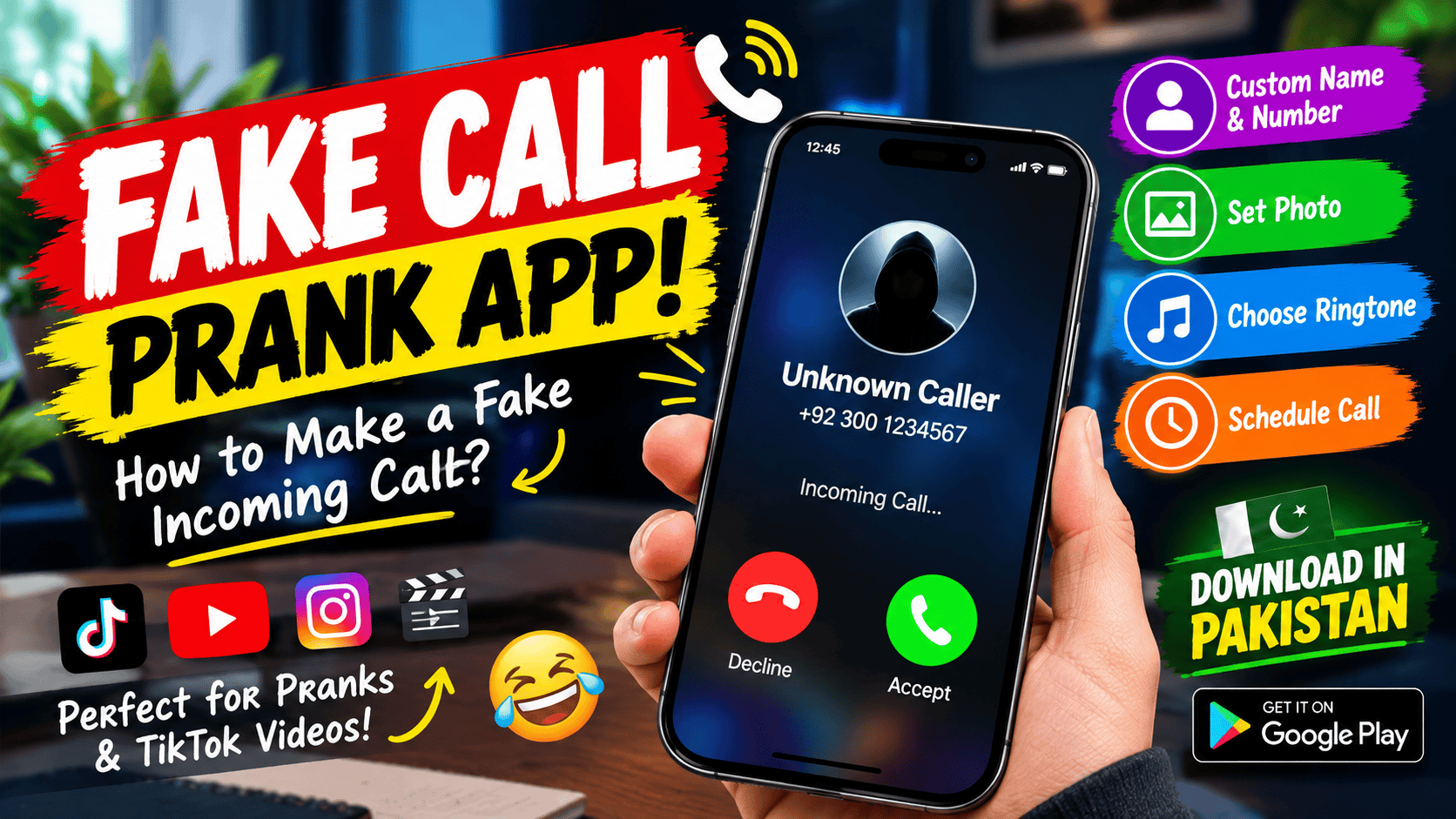
These apps can create a simulated incoming-call screen on your own phone. You can often choose the caller’s name, number, picture, ringtone and even the time when the fake call should appear. Some apps also let you add recorded audio so that something plays after you “answer” the simulated call.
But there is an important difference that many people don’t realize: a fake call simulator does not actually call another person’s phone. It creates a simulated experience on your own device. One current Google Play listing, for example, explicitly says that its app does not make or receive real phone calls.
So how exactly does it work, and what can you actually use one for?
Let’s take a look.
What Is a Prank Call App?
A prank call app is generally an entertainment application that simulates a phone call.
Instead of connecting your phone to a mobile network and calling someone, the application creates a fake incoming-call interface on your device.
The screen can look similar to a normal incoming call, complete with a caller name, profile picture, ringtone, vibration and answer/reject buttons.
For example, some current Android apps let you enter a custom caller name and number, choose a picture, select a ringtone and schedule the simulated call for a specific time.
You might set it up like this:
Caller: My Friend
Number: A fictional number
Photo: A selected picture
Ringtone: Your preferred ringtone
Delay: 30 seconds
You then put your phone down and wait.
After the selected delay, the simulated call appears.
It can look convincing enough for a short prank or video, although it is still only a simulation.
Does a Fake Call Actually Call Someone?
No.
This is probably the most important thing to understand.
A fake call app isn’t a replacement for your phone’s normal calling system. It doesn’t secretly connect you to another person’s phone.
Instead, the app creates the appearance of an incoming call on your own device.
Several current app listings explicitly make this distinction. For example, Google Play’s listing for Fake Call – Prank says that the application simulates incoming calls and does not feature real incoming calls.
Another current fake-call application states that its simulated calls happen entirely on the device and do not contact another person or connect to a phone network.
That’s why these applications are better described as fake call simulators rather than actual calling applications.
How Does a Fake Call App Work?
The exact technology varies between applications, but the basic idea is relatively simple.
You first configure a simulated call.
The application stores details such as:
- Caller name
- Caller number
- Caller image
- Ringtone
- Vibration
- Scheduled time
- Optional audio
When the scheduled time arrives, the application displays its simulated incoming-call interface.
On Android, applications can use system features such as notifications and, where permitted, the ability to display content over other applications. This allows a simulator to present an incoming-call-style screen even when you’re doing something else on your phone.
The exact permissions vary by application, so you should always check what an app requests before granting access.
You Can Choose Who Is “Calling”
One of the funniest parts of these apps is the ability to customize the caller.
Depending on the application, you might be able to enter your own caller name and number or select an image.
Some applications also provide preset characters or scenarios. One Google Play listing, for example, includes preset caller types such as police or pizza delivery for prank purposes.
Other apps allow you to create your own custom caller.
That opens up plenty of possibilities for videos and jokes.
You could create a fictional caller called:
“Boss”
or
“Best Friend”
or
“Pizza Delivery”
and then create a funny situation around the fake call.
Just remember that the purpose should remain entertainment rather than using a simulated screen to falsely accuse, threaten, defraud or harm another person.
Scheduling Makes the Prank More Realistic
Another useful feature is scheduling.
Instead of pressing a button and immediately showing the fake call, you can set a delay.
Some applications allow calls to appear immediately, after a few seconds or minutes, or at a particular future time. One current Google Play listing supports immediate calls, delayed calls and calls scheduled for a specific future time.
This makes the experience much more natural.
Imagine you’re sitting with friends.
You configure the app for a one-minute delay, put your phone on the table and continue talking.
A minute later, your phone suddenly starts ringing.
For a simple prank video, that timing can make the scene much more entertaining.
Fake Calls Can Be Useful for Content Creators
Not every use of a fake call app has to involve pranking someone.
These applications can also be useful for creating content.
TikTok creators, YouTubers and Instagram creators can use simulated calls as part of:
- Comedy sketches
- Short stories
- Tutorials
- Acting scenes
- Social-media skits
- Role-playing videos
- Tech demonstrations
For example, you could create a short video titled:
“When your boss calls at 2 AM…”
You can prepare a simulated call from “Boss,” record the scene and edit the result in CapCut.
The same technique can be used for fictional storytelling.
Instead of needing another person to call your phone during filming, you can prepare the incoming-call screen yourself.
Fake Calls Can Help With Awkward Situations
Another commonly advertised use is creating an excuse to leave an uncomfortable or awkward situation.
Some fake-call applications specifically describe this type of use.
For example, imagine you’re at a social event and want to leave.
You could schedule a simulated call, allow the phone to ring and then excuse yourself.
Of course, there are better solutions than relying on fake excuses in every situation. But as an occasional entertainment feature, the concept is simple.
It’s also worth remembering that if the situation involves genuine danger or harassment, a fake call shouldn’t be treated as a safety solution. Real emergency services or trusted people are more appropriate.
Pranking Your Friends
This is probably the most obvious use.
You can prepare a fake incoming call and tell your friend:
“Wait, someone is calling me.”
Then show them the screen.
The prank can become even more entertaining if the application supports a recorded voice or audio after answering.
Some current fake-call applications let users select existing audio files or record their own audio to play after the simulated call is answered.
That means the prank doesn’t necessarily stop when you press the answer button.
You can create a short fictional conversation as part of the joke.
For example, you could record:
“Hello? Yes, I’m on my way…”
and build a funny scenario around it.
Fake Call Apps for TikTok and Reels
If you’re a content creator, fake-call applications can be particularly useful.
Short-form videos often depend on a simple situation that viewers understand immediately.
A phone suddenly ringing is an easy visual cue.
You could create a scene such as:
Friend: “Why didn’t you come yesterday?”
Phone: RING RING
Caller: “Mom”
You: “Oh no…”
That simple moment can become the beginning of a comedy sketch.
Because the call is simulated locally, you don’t need another phone to create the incoming-call effect.
Some current fake-call apps specifically promote their use for TikTok, Reels and YouTube Shorts content.
Some Apps Also Simulate Video Calls
Fake-call technology isn’t limited to normal phone calls.
Some applications offer simulated video-call experiences as well.
For example, current fake-call apps can include fictional characters, video-call screens and additional visual effects.
This can be useful for comedy videos where you want the viewer to believe that a particular character is calling.
Again, these are simulations.
They don’t create a real video connection with that person.
What About Fake Caller ID?
This is where you need to be careful with terminology.
A fake incoming-call simulator changes what appears on your own phone.
That’s very different from actually spoofing caller ID on a real telephone call.
A simulator can show a fictional caller name or number on your screen, but it doesn’t mean that you’ve changed the caller ID of a real outgoing call.
This distinction is important because real caller-ID spoofing can be associated with fraud, impersonation and other harmful activity.
For normal prank purposes, stick to on-device simulations.
Are These Apps Free?
Many fake-call applications are free to install, but that doesn’t necessarily mean every feature is free.
Current Google Play listings show examples containing advertisements and optional in-app purchases.
Some applications offer basic fake calls for free and place advanced features behind a purchase.
Premium features may include:
- Additional voices
- Custom sounds
- More caller profiles
- Extra wallpapers
- Additional widgets
- Ad removal
- Advanced scheduling
The exact pricing and features can change, so check the current Play Store listing before installing.
Check Permissions Before Installing
This is one of the most important things to remember.
A fake-call application may need certain permissions to perform its functions, but you shouldn’t automatically approve every permission request.
For example, an app might need notifications to show a simulated call notification.
Another application might request access to your microphone if it supports recording your own voice.
Some apps may request access to contacts so that you can select a contact’s name or picture.
But you should ask yourself whether the permission makes sense.
A current Google Play listing for one fake-call app, for example, says it may collect or share several types of information, while another lists no data collection in its developer-provided disclosure.
This shows why you shouldn’t assume every app with “Fake Call” in its name has identical privacy practices.
Read the Data safety section and the developer’s privacy policy before installing.
Don’t Download Random APKs
You may find fake-call APK files on websites outside Google Play.
While APK files can sometimes be legitimate, downloading applications from unknown websites increases the risk of installing modified or malicious software.
If an official version is available through Google Play, that is generally the simpler route.
Also avoid applications that make unrealistic promises such as:
- “See anyone’s private call history”
- “Track another person’s calls”
- “Hack any phone”
- “Listen to someone’s real calls”
A genuine fake-call simulator doesn’t give you access to another person’s private communications.
It simply creates a simulated experience on your own device.
Can You Use a Fake Call App to Fool Someone?
Yes, that’s one of the main entertainment purposes.
But there is a difference between a harmless joke and deliberately misleading someone in a way that causes harm.
A fake call between friends can be funny.
Creating a fake call that makes someone believe they’re being contacted by police, a bank, an employer or another authority could become much more serious depending on how it’s used.
The safest approach is to keep the joke clearly harmless and avoid impersonating people or organizations for fraudulent purposes.
And if you’re recording someone for a TikTok or YouTube video, consider whether you have permission to publish them.
Fake Call Apps vs Real Calls
Here’s a simple comparison:
| Feature | Fake Call Simulator | Real Phone Call |
|---|---|---|
| Uses mobile network | No | Yes |
| Contacts another person | No | Yes |
| Can show caller name | Yes | Yes |
| Can use custom image | Often | Depends on phone/contact |
| Can schedule appearance | Often | Normally not in the same way |
| Can be used for a prank video | Yes | Yes |
| Actually connects two people | No | Yes |
| Entertainment simulation | Yes | No |
The biggest difference is simple:
A fake call app creates the appearance of a call. A real phone call creates an actual connection.
Why These Apps Are Popular
The appeal is mostly convenience.
You don’t need another phone.
You don’t need someone to call you.
You don’t need an internet connection with another person.
You can prepare the scene yourself.
For content creators, this is especially useful because filming often requires control over every part of the scene.
A fake call simulator gives you control over the caller name, image, timing, ringtone and sometimes the audio.
That’s enough to create a surprisingly wide range of short scenes.
Final Thoughts
Prank call apps are essentially fake incoming-call simulators designed for entertainment, jokes, demonstrations and creative content.
They don’t normally make real calls. Instead, they create a simulated incoming-call screen on your own phone. Current apps can offer features such as custom caller names, numbers and photos, scheduled calls, ringtones, vibration and even recorded audio.
That makes them useful for much more than simply pranking a friend.
You can use them to create TikTok videos, Reels, YouTube Shorts, comedy sketches and fictional stories. They can also be used as a simple prop when filming a scene that requires a phone call.
At the same time, choosing the right app matters.
Check its Play Store listing, developer information, reviews, permissions and privacy details. Don’t install an unknown APK simply because it promises more realistic features.
Most importantly, keep the use harmless.
A simulated call on your own phone can be a fun little trick. It becomes a different matter when fake information is used to impersonate someone, deceive people for money or cause harm.
Used responsibly, though, a fake-call app can be a surprisingly useful little tool for pranks, content creation, comedy and situations where you simply need a simulated incoming call.