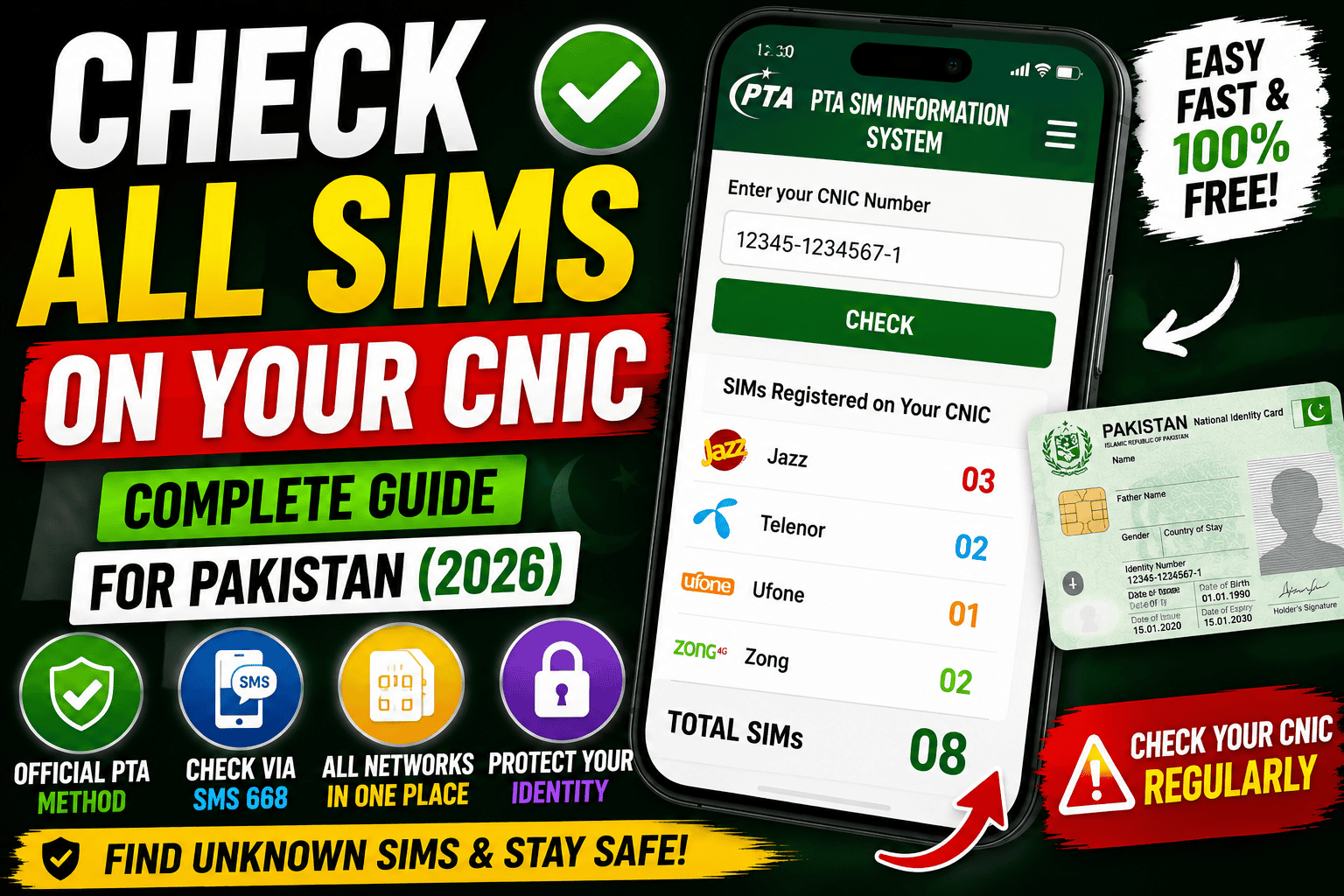
If you have a Pakistani CNIC, it is important to know how many SIM cards are registered against your identity. Sometimes people buy a SIM and forget about it, replace an old number without properly closing it, or discover that a number has been registered using their CNIC without their knowledge.
The good news is that checking the number of SIMs registered against your CNIC is straightforward. The Pakistan Telecommunication Authority (PTA) provides an official SIM Information System, and PTA says that citizens can check their SIM count either by sending their CNIC number without dashes to 668 or by using the official SIM Information website.
In this complete guide, we’ll explain how to check SIMs on your CNIC online and through SMS, what information the system provides, what to do if you find an unknown SIM, and how to protect your CNIC from unauthorized SIM registration.
What Does “SIMs Registered on Your CNIC” Mean?
When you purchase a SIM in Pakistan, your identity is verified as part of the registration process. The SIM is associated with your identity record, meaning the mobile operator can link that subscription to your CNIC.
Over time, you may have several SIMs registered in your name.
For example, you might have:
- An old Jazz SIM
- A Telenor number
- A Ufone SIM
- A Zong SIM
- A data-only SIM
- An old number that you no longer use
This is why checking your SIM registration status from time to time can be useful.
The official PTA SIM Information System allows users to enter their CNIC and see the total number of SIMs registered against it. The online system displays SIM counts by network and a total count.
Why Should You Check SIMs Registered on Your CNIC?
Your CNIC is an important identity document. If an unauthorized SIM is associated with your identity, it can create unnecessary complications.
Regularly checking your SIM count can help you identify registrations you don’t recognize.
It is particularly useful if:
- You have lost an old SIM.
- You have changed mobile networks.
- You have stopped using several numbers.
- You have given up an old number.
- You suspect that a SIM may have been registered without your permission.
- You simply want to review your current SIM registrations.
PTA’s National Telecom CERT also advises people to periodically check the number of SIMs issued in their name by sending their CNIC number to 668, particularly as a precaution against illegally issued SIMs.
How to Check All SIMs on Your CNIC Online
The easiest method for many users is the official SIM Information System.
You can access the official service here:
The official page asks you to enter your CNIC number and complete the verification step. It explains that the purpose of the service is to find the total number of SIMs registered against your CNIC.
Follow these steps:
Step 1: Open the official SIM Information System.
Step 2: Select the CNIC option.
Step 3: Enter your 13-digit CNIC number.
Step 4: Complete the verification shown on the website.
Step 5: Submit the information.
The system can then display the number of SIMs associated with your CNIC.
The results can include network-wise counts for operators such as Jazz, Telenor, Ufone and Zong, along with the overall total. The system also distinguishes between voice/data SIMs and data-only SIMs in its information display.
How to Check SIMs Through SMS
If you don’t want to use the website, PTA provides an SMS-based option.
Open the messaging application on your phone and enter your 13-digit CNIC number without dashes.
For example, if your CNIC is written as:
12345-1234567-1
you would send:
1234512345671
Send the CNIC number to:
668
PTA’s official guidance confirms that the CNIC should be sent without dashes to short code 668 to check the count of SIMs registered against the CNIC.
This is particularly useful when you don’t have access to the internet.
What Information Will You See?
The SIM Information System is primarily designed to show the number of SIMs associated with your CNIC rather than functioning as a public directory of every phone number.
The online system presents network-wise SIM counts and a total. Its interface includes operators such as Jazz, Telenor, Ufone and Zong.
This distinction is important.
If you are expecting the website to display every complete mobile number registered against your CNIC, don’t assume that the SIM Information System works as a public list of telephone numbers. PTA’s stated service is for checking the count of SIMs registered against your CNIC.
Can You Check SIMs From All Networks at Once?
Yes. The purpose of the centralized SIM Information System is to provide a combined view of SIM registrations associated with your CNIC.
Instead of visiting every mobile operator separately just to determine how many SIMs are registered under your identity, you can use the PTA system.
The results can show counts by network and an overall total.
This makes the service particularly useful for people who have used multiple networks over the years.
What If You Find a SIM You Don’t Recognize?
Suppose you check your CNIC and discover that more SIMs are registered against it than you expected.
Don’t ignore the result.
First, think about whether you may have forgotten an old number.
People often have SIMs they haven’t used for a long time. An old number, secondary SIM, data SIM or previously used network can explain an unexpected count.
If you still cannot explain the registration, contact the relevant mobile operator and ask about the registration.
If necessary, you can also use PTA’s complaint mechanism for a telecom-related issue.
The important thing is to address an unexplained registration rather than leaving it unchecked.
Can Someone Register a SIM Without Your Knowledge?
Unauthorized SIM issuance is a serious security concern.
PTA’s National Telecom CERT warns about illegal SIM issuance and recommends purchasing SIMs through authorized cellular franchises rather than informal kiosks or door-to-door sellers. It also advises citizens to periodically check the number of SIMs issued in their name.
This is one reason why protecting your biometric information and CNIC details is important.
Never casually hand over your identity information or fingerprints to someone who cannot clearly explain why they need them.
Be Careful With Your Fingerprint
SIM registration in Pakistan involves identity verification, including biometric verification.
PTA’s cybersecurity awareness material specifically includes guidance encouraging users to be vigilant when providing fingerprints for a new SIM.
When purchasing a SIM, use an authorized outlet and make sure you understand what service you are signing up for.
Don’t allow someone to use your biometric information for an unrelated purpose.
What Should You Do With an Old SIM?
If you no longer need a SIM, don’t simply throw it into a drawer and forget about it.
If the number remains associated with your identity, it may continue to appear in your SIM registration information.
Contact the relevant mobile operator and follow its current procedure for closing or disassociating a number you no longer need.
This can also help reduce the number of unnecessary SIM registrations connected to your CNIC.
Can You Check Someone Else’s SIMs Using Their CNIC?
The PTA service is intended for checking SIM registrations associated with the user’s own identity.
You should not try to obtain another person’s private telecom information without authorization.
Your CNIC and mobile-related information should be treated as personal information.
Likewise, avoid websites or applications claiming that they can provide private subscriber information about any person simply by entering their CNIC.
If a website promises access to people’s personal data that isn’t available through official channels, be extremely cautious.
Don’t Share Your CNIC on Random Websites
You may find websites online claiming to provide “SIM owner details,” “all SIM numbers by CNIC,” or similar services.
Be careful.
Your CNIC is sensitive personal information, and entering it into an unknown website can expose you to privacy and security risks.
For checking your SIM count, use the official PTA service instead. PTA itself directs users to the official SIM Information System at cnic.sims.pk.
You should also avoid sending your CNIC to random WhatsApp numbers, social media pages, or unofficial apps promising SIM details.
Is the SIM Information System Free?
The official online SIM Information System is available for checking the SIM count associated with your CNIC. PTA also provides the SMS method through 668.
For the SMS method, normal mobile messaging charges may apply depending on your operator and current tariff.
If you are using the website, make sure you are on the official service rather than a third-party website pretending to be an official PTA page.
How Often Should You Check Your CNIC?
There isn’t necessarily a need to check your SIM count every day.
However, checking occasionally is a sensible privacy and security habit.
You might want to check:
- After purchasing a new SIM.
- After losing a SIM.
- After changing your mobile number.
- After closing an old number.
- If you notice suspicious activity involving your mobile account.
- If you believe your CNIC information may have been exposed.
A quick check can help you notice an unexpected registration sooner rather than later.
What Is the Difference Between SIM Registration and SIM Ownership?
People often use the term “SIM owner” casually, but the important point is that the telecom registration connects the SIM subscription to an identified subscriber.
The PTA SIM Information System is designed to tell you how many SIMs are associated with your CNIC.
It should not be confused with websites that claim they can reveal extensive private information about another person’s identity.
If you’re checking your own CNIC, use the official system and contact the relevant operator if something doesn’t look right.
What If Your CNIC Has the Wrong SIM Count?
Sometimes people expect a particular number but receive a different result.
Before assuming there is a security problem, consider old SIMs you may have forgotten.
You may have:
- Registered a number years ago.
- Purchased a SIM as a backup.
- Used another operator temporarily.
- Changed your primary number.
- Forgotten about a data-only SIM.
If the number still doesn’t make sense, contact the relevant operator for clarification.
If you believe there is an unauthorized registration or another telecom issue, PTA’s official complaint system is available for consumer complaints. PTA provides a public complaint mechanism and a complaint management system.
Important Security Advice for CNIC Holders
Your CNIC number should not be treated like an ordinary piece of information.
Avoid posting a complete CNIC number publicly.
Don’t send pictures of your CNIC to unknown people.
Don’t provide fingerprints to unauthorized individuals.
Don’t install suspicious applications promising SIM owner information.
Don’t enter your CNIC into websites that you cannot verify.
Most importantly, don’t believe every online service claiming to have access to Pakistan’s telecom databases.
For basic SIM-count verification, the official PTA system is the safer place to start.
Frequently Asked Questions
How can I check how many SIMs are registered on my CNIC?
You can check through the official PTA SIM Information System or send your CNIC number without dashes to 668. PTA officially lists both methods.
What is the official website for checking SIMs on CNIC?
The official SIM Information System is available at cnic.sims.pk, which PTA itself references for checking SIM counts.
Do I need to enter my CNIC with dashes?
For the SMS method, PTA specifically says to send the CNIC number without dashes to 668.
Can I check SIMs from different networks together?
Yes. The centralized system can show network-wise counts and a total count.
Does the website show every complete mobile number?
PTA describes the service as a way to check the count of SIMs registered against your CNIC. The online results display network-wise numbers of SIMs and a total rather than serving as a public directory of complete phone numbers.
What should I do if I find an unfamiliar SIM registration?
First check whether it could be an old or forgotten number. If you still don’t recognize it, contact the relevant mobile operator and, if necessary, use PTA’s official complaint mechanism.
Is it safe to use third-party SIM-checking websites?
It’s better to avoid giving your CNIC information to unknown websites. PTA directs users to its official SIM Information System for checking SIM counts.
Final Verdict
Checking the SIMs registered against your CNIC is a simple step that can help you stay aware of how your identity is being used in Pakistan’s telecom system.
The official method is straightforward: use the PTA SIM Information System online or send your CNIC number without dashes to 668.
The online system can provide network-wise SIM counts and a total, helping you understand how many registrations are associated with your CNIC.
If you discover something you don’t recognize, don’t panic, but don’t ignore it either. Check whether it is an old SIM and contact the relevant operator if necessary.
Most importantly, protect your CNIC information and biometric data. PTA’s cybersecurity guidance recommends periodically checking SIM registrations and being careful when providing fingerprints for SIM issuance.
A few minutes spent checking your SIM registration can give you useful peace of mind and help you identify potential problems early.
In short: if you have a CNIC in Pakistan, checking your registered SIM count from time to time is a simple and useful digital-security habit.
SEO Keywords
Primary Keyword:
Check SIMs on CNIC
Secondary Keywords:
- Check all SIMs on CNIC Pakistan
- SIMs registered on CNIC
- How to check SIMs on CNIC
- PTA SIM check
- PTA SIM Information System
- Check SIM owner details
- CNIC SIM check online
- SIM count check Pakistan
- 668 SIM check
- Check number of SIMs on CNIC
- SIM registration check Pakistan
- PTA CNIC SIM check 2026
- How many SIMs are registered on my CNIC
- Check SIMs against CNIC
- Pakistan SIM Information System
Suggested Image Alt Text:Check all SIMs registered on CNIC in Pakistan using the official PTA SIM Information System
Suggested Featured Image Text:
CHECK ALL SIMs ON YOUR CNIC
Pakistan 2026 Guide